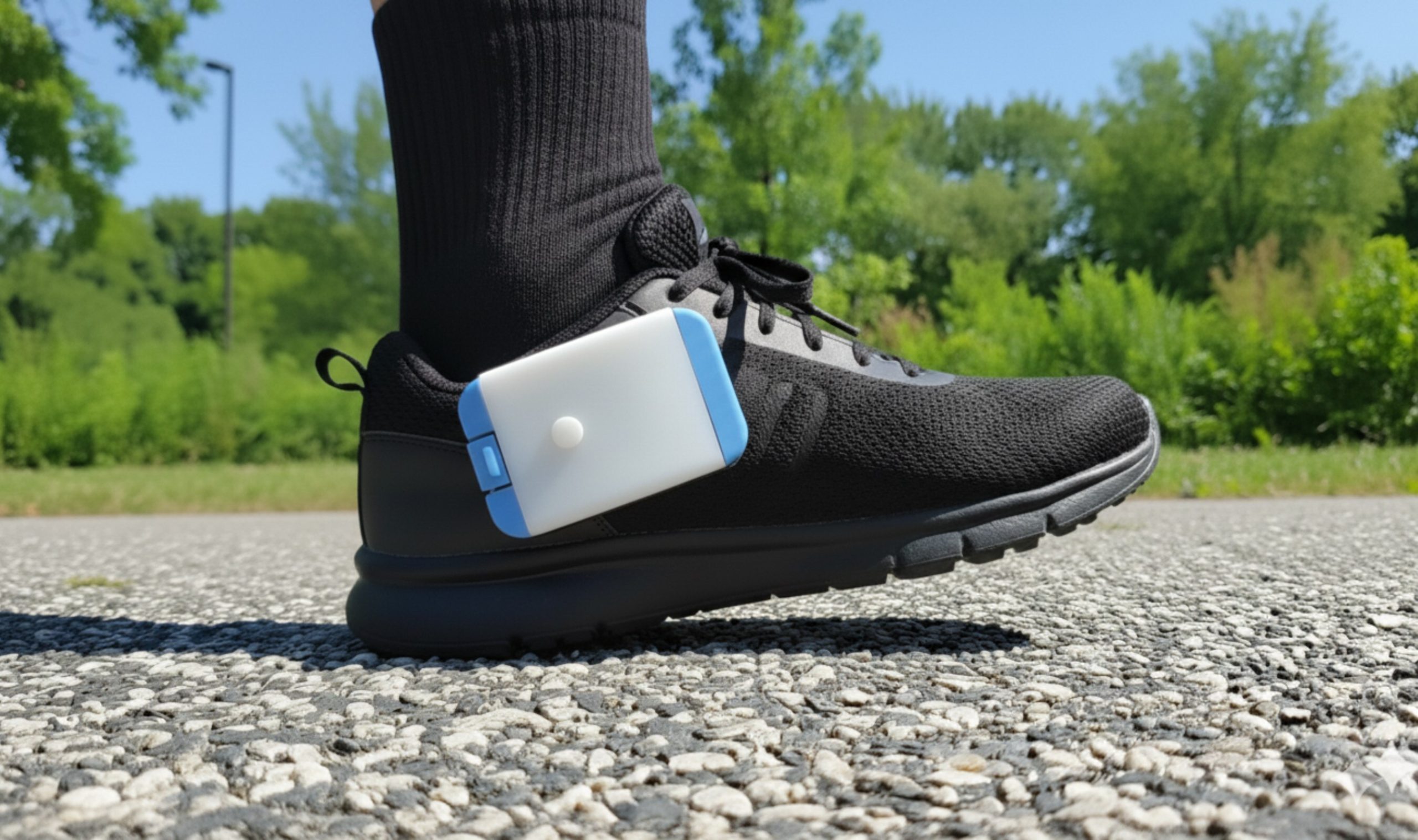
Heel2Toe Docking Station
Your Walk BEST Analytics Centre
Walk BEST — better, faster, longer, stronger, and safer.
| Download forWindows 11 · v7.0 | Download formacOS · v7.0 | Download foriOS · v7.0 | Download forAndroid · v7.0 |
The Docking Station is designed for individuals and clinics to manage gait analysis data from Heel2Toe wearable devices. It serves as a bridge between the physical Heel2Toe device and cloud-based analytics, enabling users to sync walking session data, view detailed gait metrics, and receive personalised exercise recommendations.
Windows 10/11 · macOS 10.14+ · iOS 14+ · Android 8.0+ · EN · FR · ES · 日本語 · 中文 · العربية
Everything you need to manage your device
Docking Station connects your Heel2Toe hardware to any platform — giving clinicians and patients full visibility over sessions, reports, and device health.
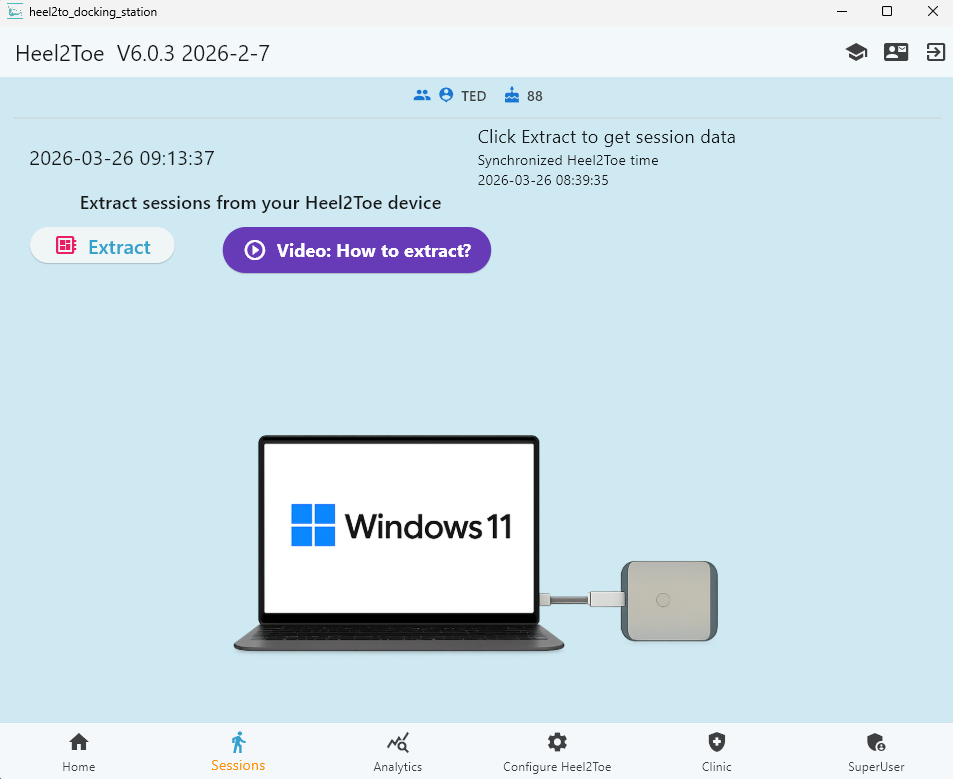
Session Extraction
Plug in via USB and extract all walking sessions from your Heel2Toe device in one click.
Gait Analytics
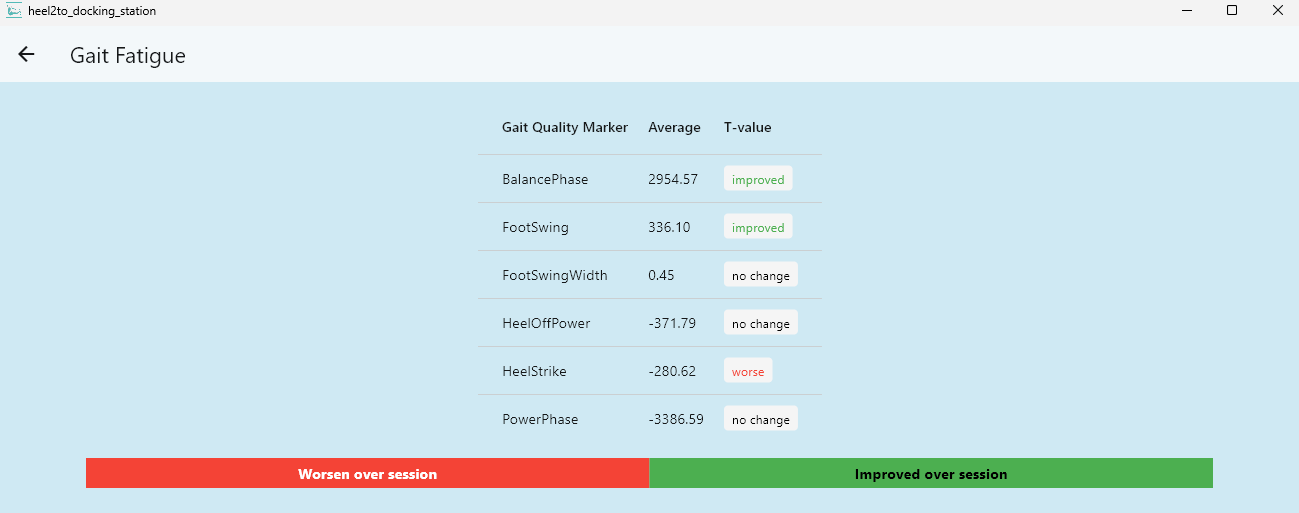
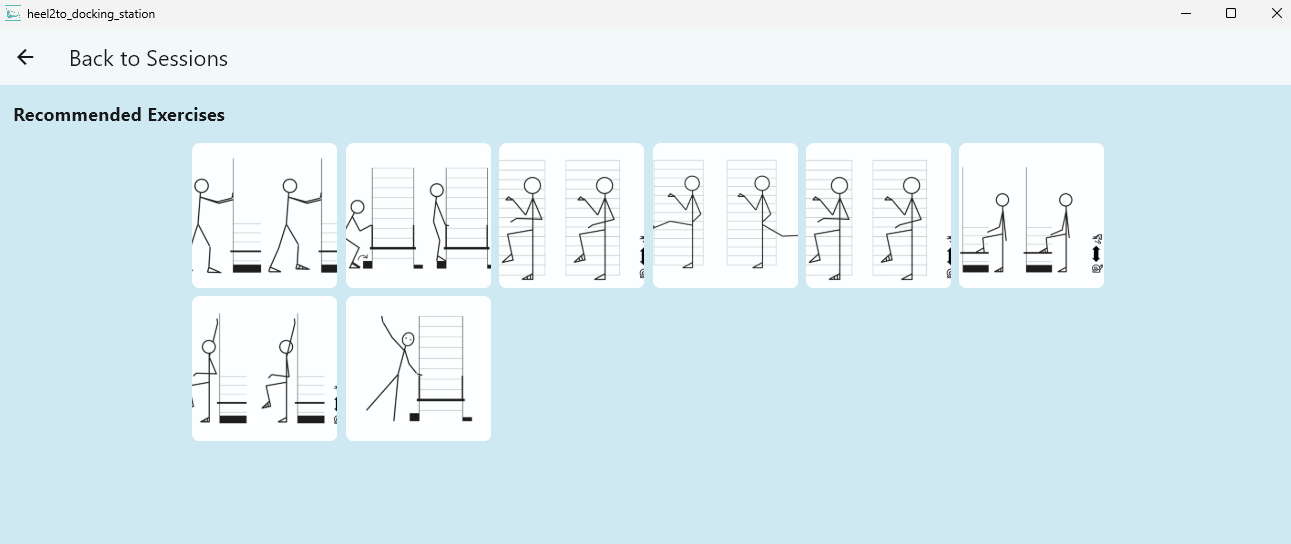
Heel strike, foot clearance, power cycle, balance cycle, fatigue analysis, and recommended exercises.
Risk of Fall Assessment
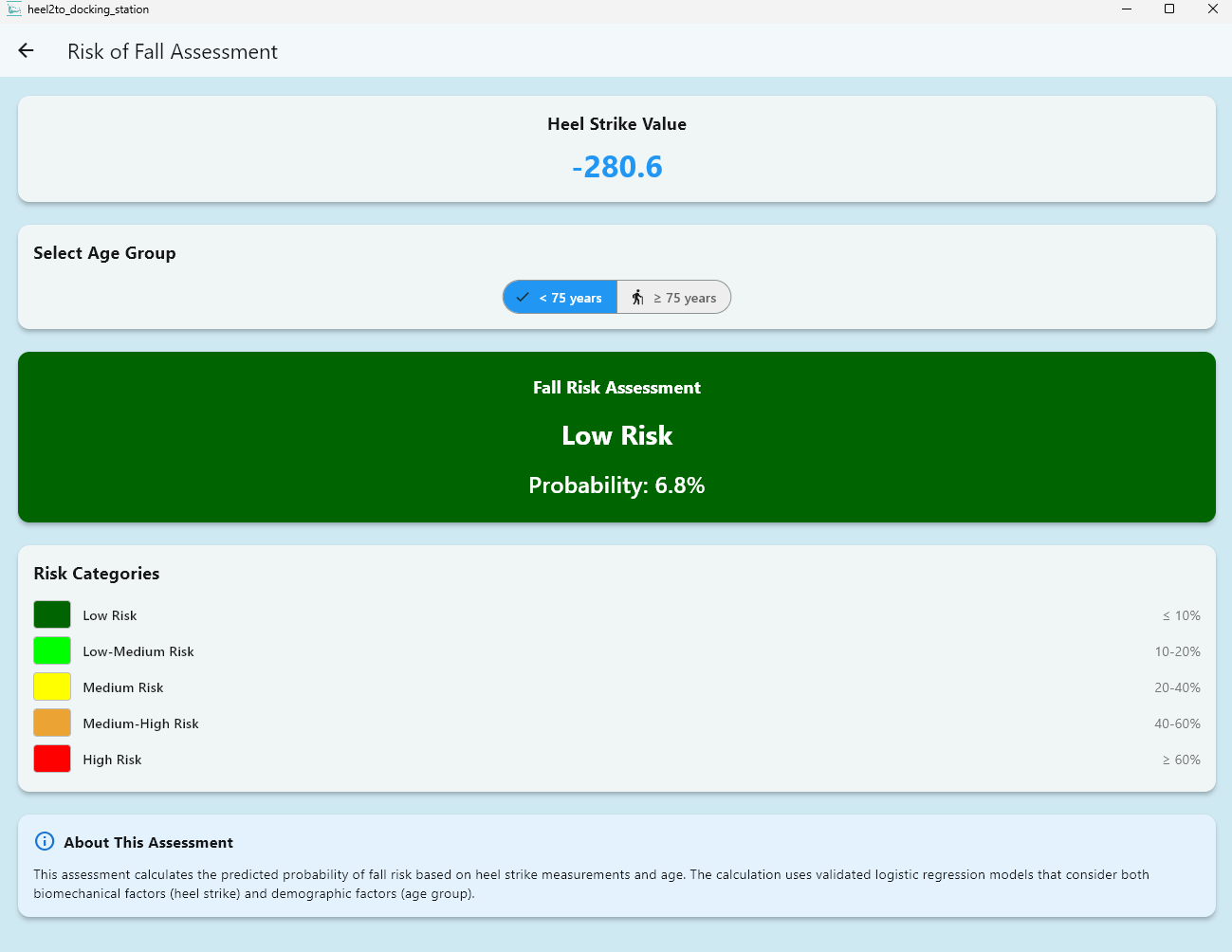
Validated logistic regression model calculates fall risk probability from heel strike value and age group.
Clinic Management
Create a clinic, invite therapists by email, manage client rosters and device loans — all in one tab.
6 Languages
Fully localized in English, French, Spanish, Japanese, Chinese, and Arabic with RTL support.
Cross-Platform
Native apps for Windows 10/11, macOS 10.14+, iOS 14+, and Android 8.0+ with USB OTG support.
Tutorial videos
New to Docking Station? Our YouTube channel has step-by-step walkthroughs for setup, session extraction, gait report interpretation, and Clinic Mode configuration.
See it in action
A clean, intuitive interface designed for clinicians and patients alike — across every platform.
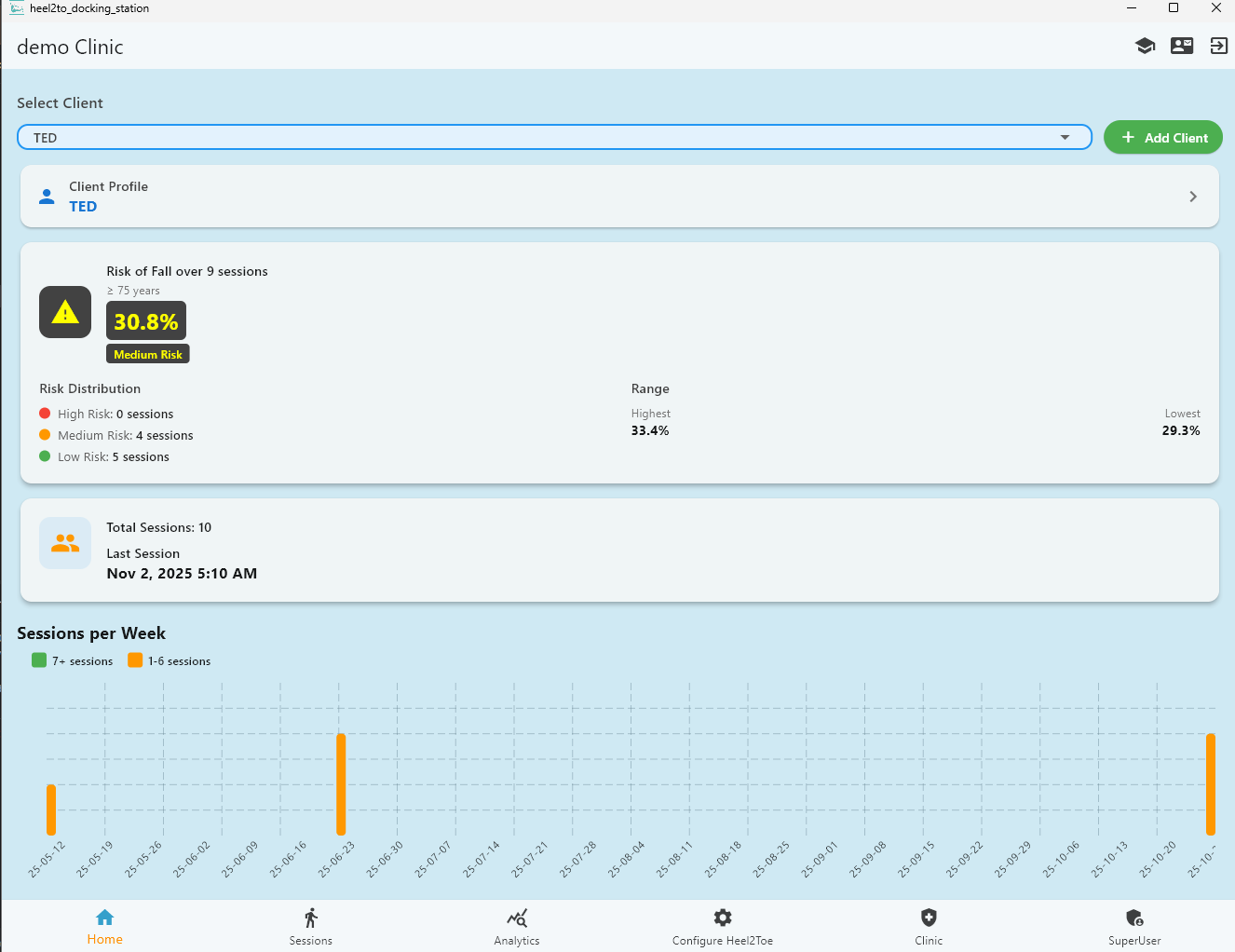
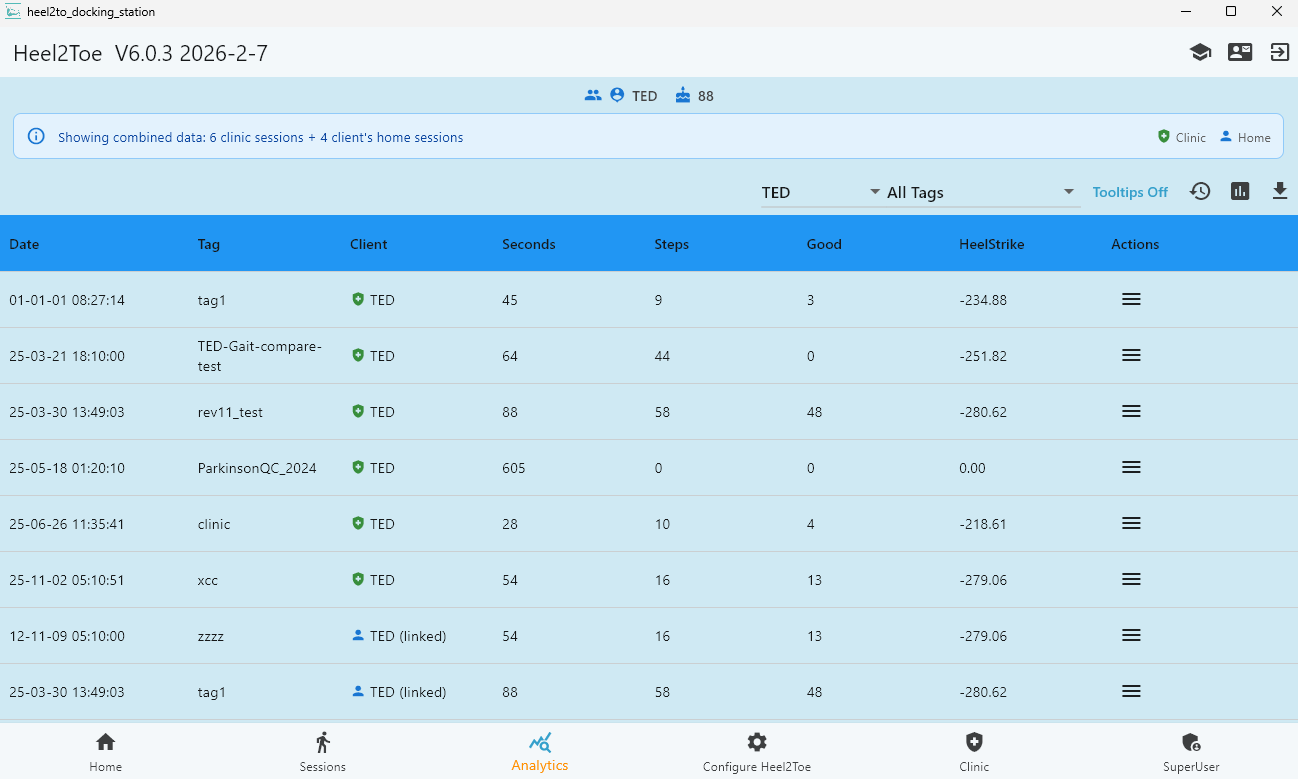
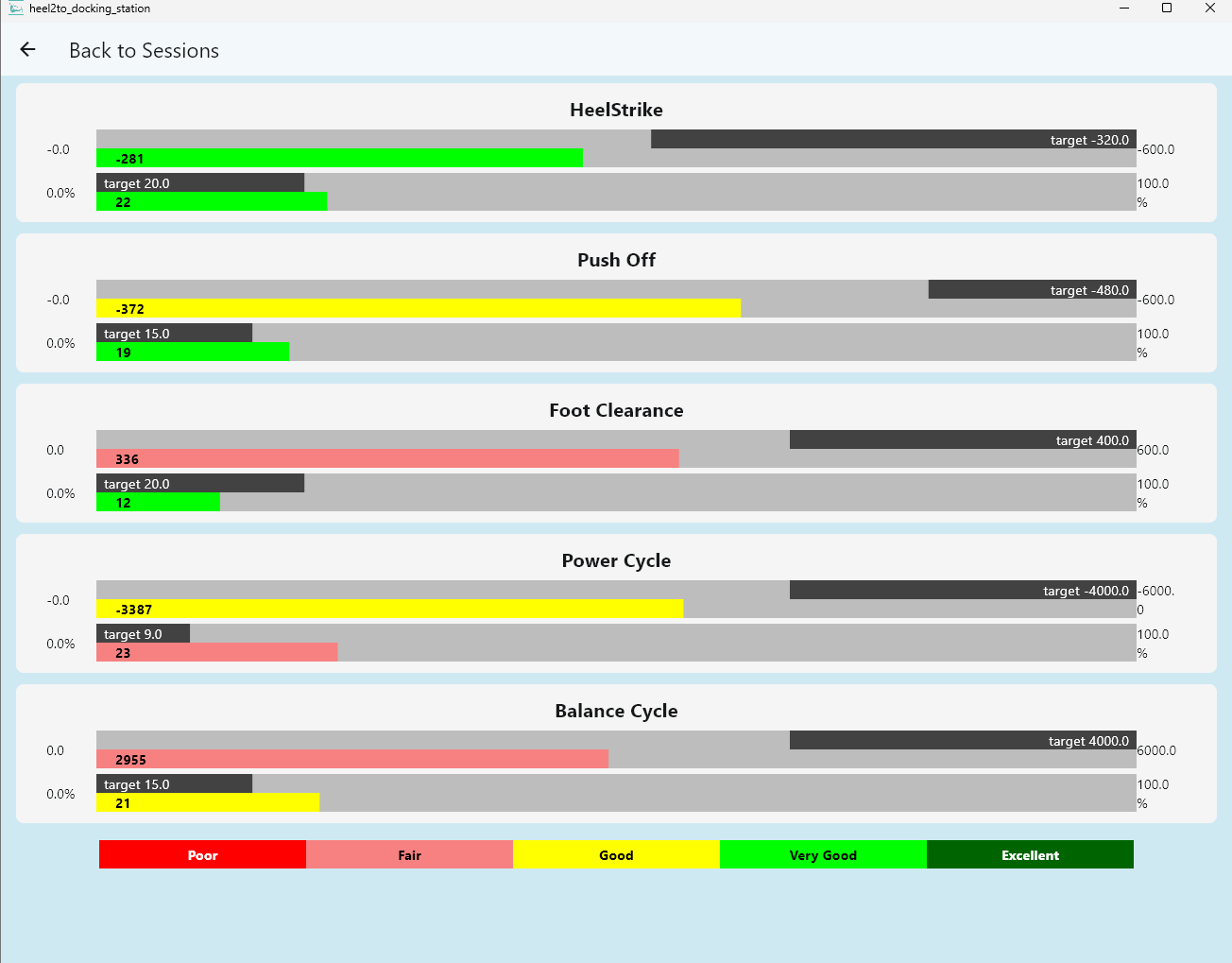
Comprehensive gait analytics in every session
Every extracted session unlocks a full suite of biomechanical reports — from raw gait markers to fall risk probability and personalised exercise recommendations.
Using Docking Station in a clinical setting?
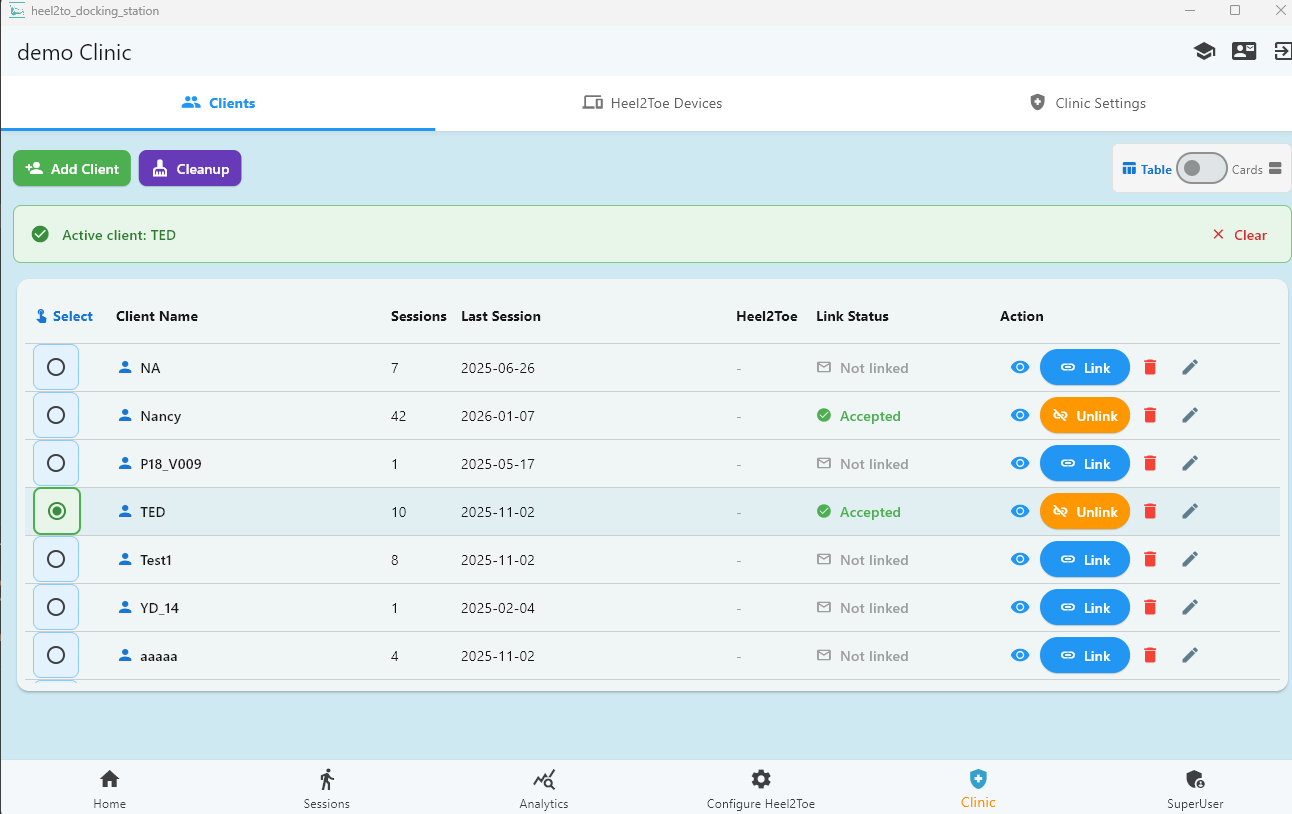
Clinic Mode lets physiotherapy practices manage multiple patients and devices under one account — with custom reporting, patient tagging, and secure multi-user access.
- Create a clinic and invite therapists and staff by email
- Manage internal and externally-linked client rosters
- Track clinic-owned Heel2Toe devices and loan history
- Role-based access control for admins, therapists, and staff
- Table or Cards view with radio-button client selection
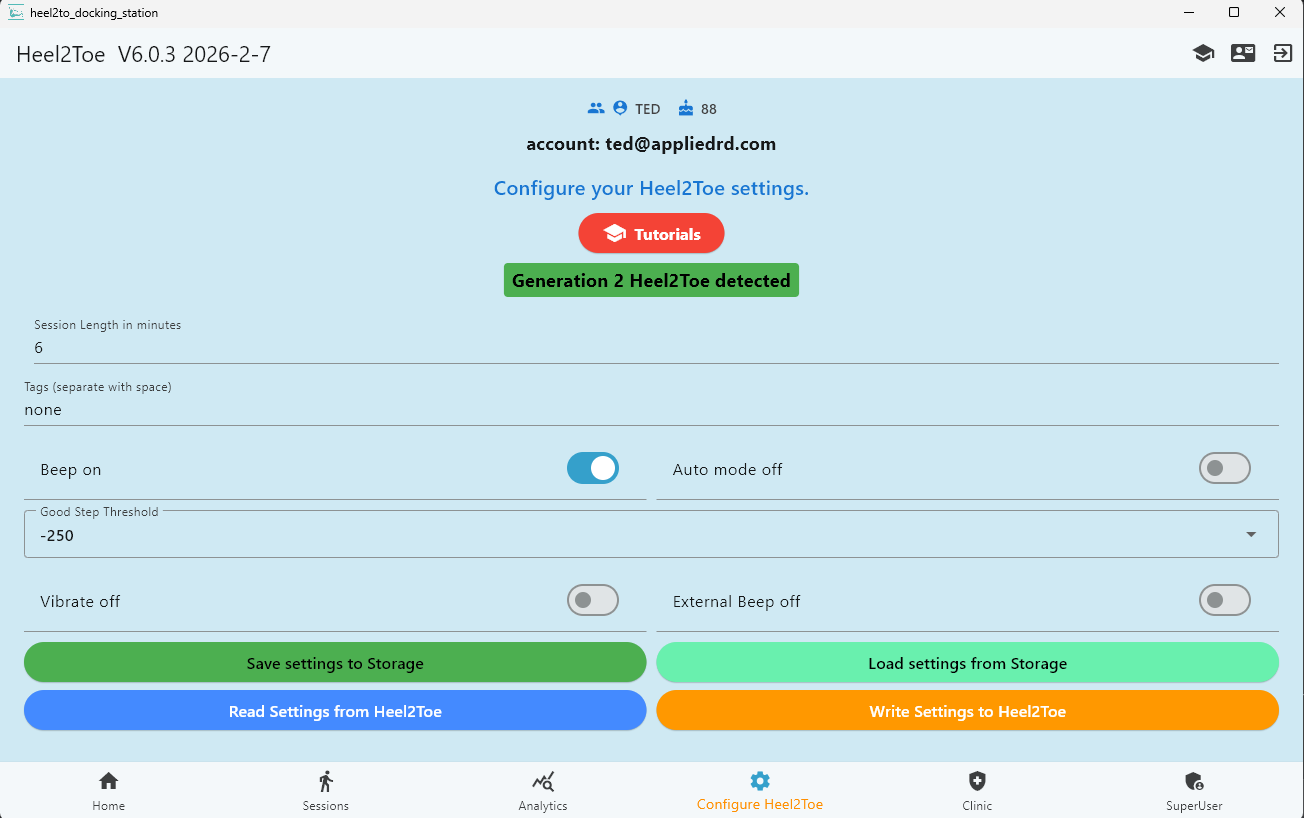
Configure your Heel2Toe device
When your Heel2Toe is connected via USB, Docking Station detects it instantly. Set session length, configure beep and vibration feedback, adjust the good-step threshold, and write settings directly to the device.
- Session length, beep, vibration, auto-mode
- Save / load settings to storage or write to device
- Auto-detects Generation 2 Heel2Toe hardware
- Updated default heel strike thresholds in v7.0
Ready to get started?
Download Docking Station for your platform and connect your Heel2Toe device in minutes.
| Download forWindows 11 · v7.0 | Download formacOS · v7.0 | Download foriOS · v7.0 | Download forAndroid · v7.0 |